
How to invoice a Walmart expense?
Step-by-step guide to invoice Walmart expenses.
We give you two options to invoice expenses at Walmart: the first is through the Walmart website (estimated time: 8 minutes), and the second through Zumma Financial (estimated time: 2 minutes):
Option 1: Walmart invoicing portal
Step 1: Go to the Walmart invoicing portal and click "Obtener factura" (Get invoice)
Step 2: Enter the information required by the portal: RFC, zip code, ticket number, and transaction number.
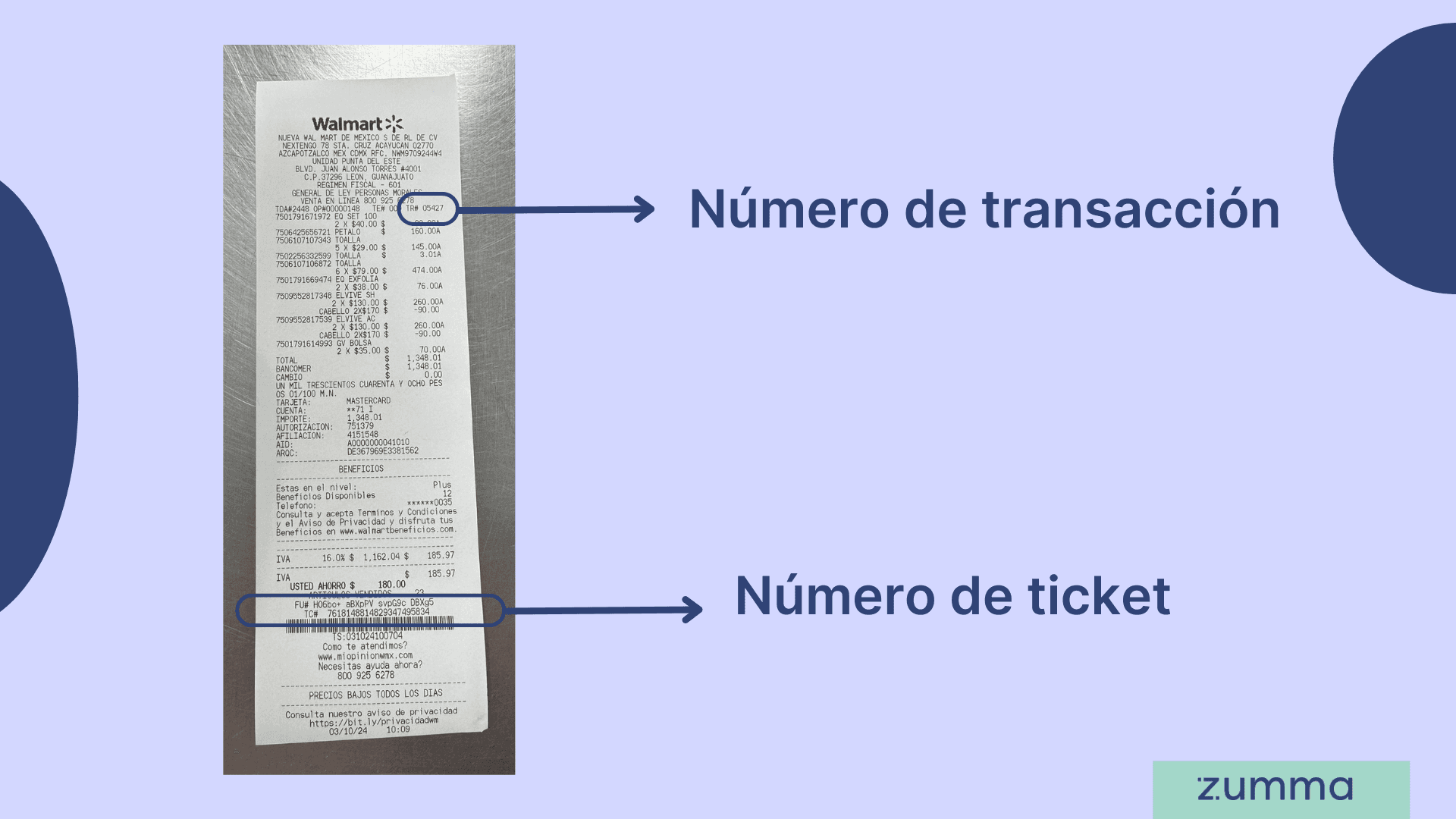
Step 3: Confirm and/or add your tax information and the CFDI use for your invoice
Step 4: Confirm the payment method for your purchase
Step 5: Confirm the email where you want to receive your invoice
And that's it! This is how you can get your invoice through the Walmart invoicing portal
Option 2: Invoice through Zumma Financial
If you're already a Zumma customer and have already entered your tax information in your account profile, just follow these steps:
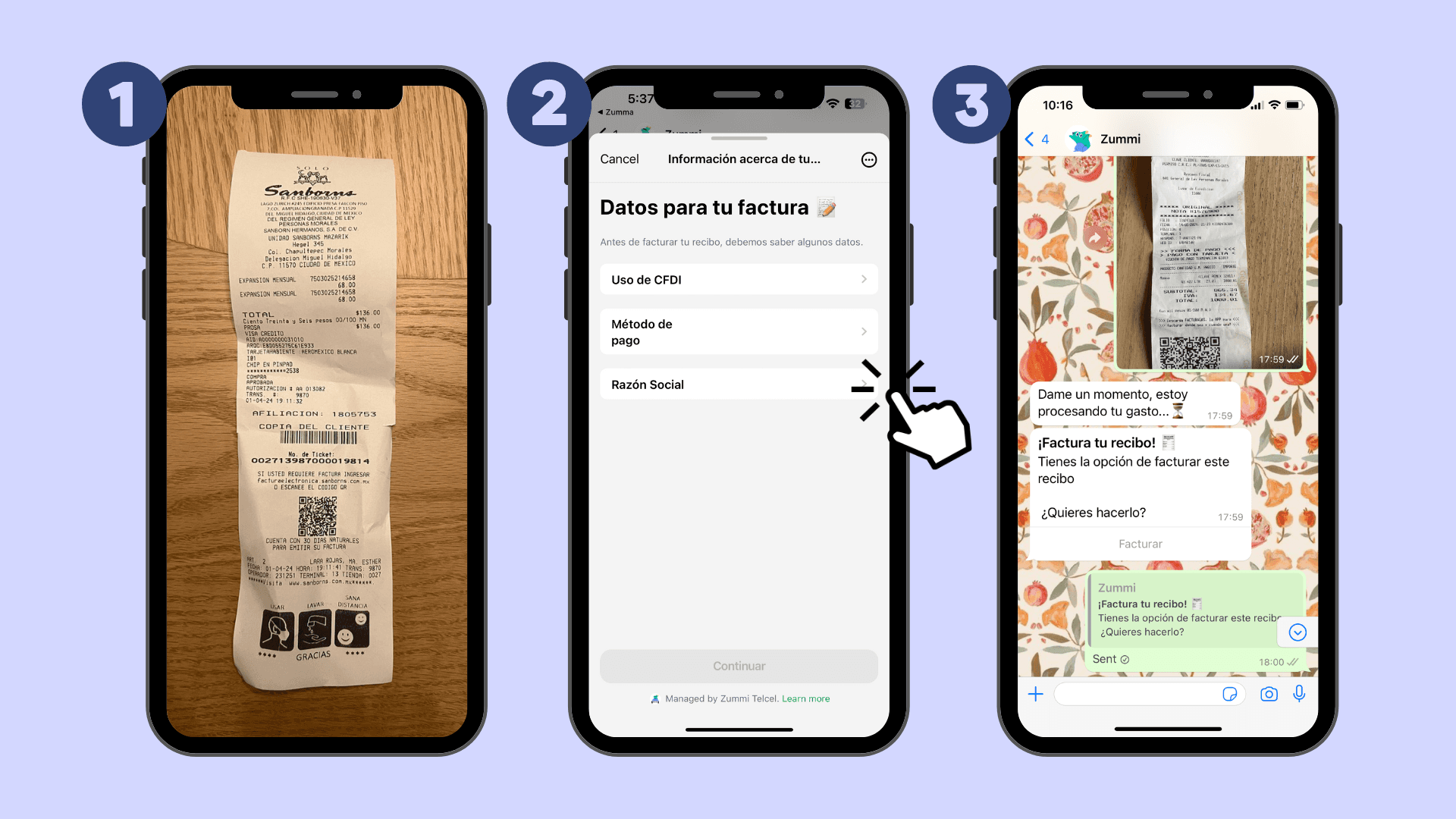
Step 1: Send a photo of your ticket via WhatsApp
Step 2: Choose the CFDI use and payment method for your purchase
Step 3: Wait to receive your invoice via WhatsApp and email
If you're not yet a Zumma user and want to start automatically invoicing your expenses via WhatsApp, request a demo of our service here.
ZUMMA FOR BUSINESS
Automate invoices on WhatsApp with Zumma.
Get your team's expense invoices from WhatsApp, without chasing receipts.
Start for free →