

B2B Invoicing (pillar)
How to invoice an Office Max expense?
Step-by-step guide to invoice Office Max expenses.
We give you two options to invoice expenses at Office Max: the first is through the Office Max website (estimated time: 8 minutes), and the second through Zumma Financial (estimated time: 2 minutes):
Option 1: Office Max invoicing portal
Step 1: Go to the Office Max invoicing portal
Step 2: Enter your ticket information**, reference number and amount, and add your RFC.**
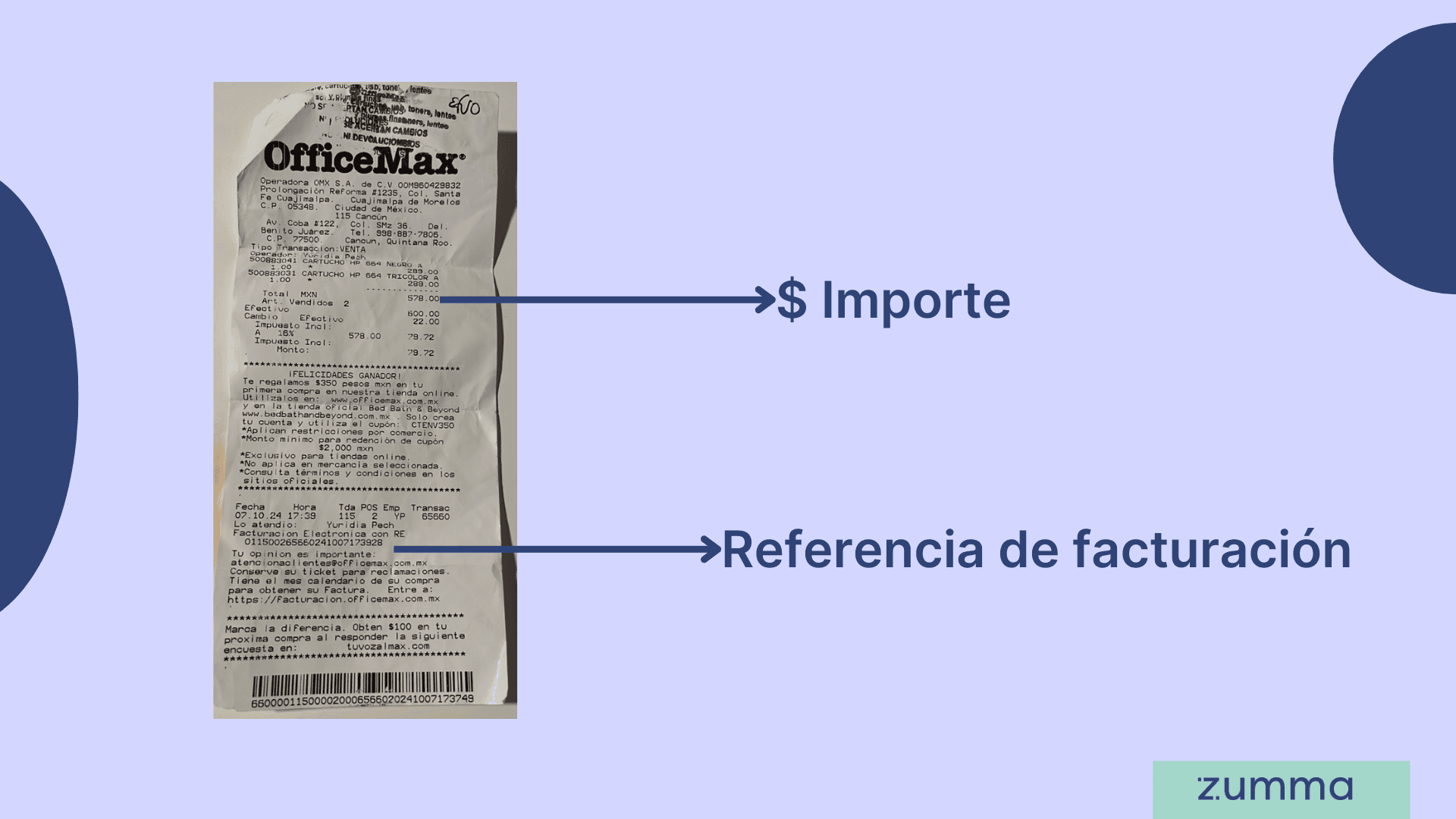
Step 3: If you've invoiced before, your tax information will load automatically; if not, enter your tax information: RFC, business name, tax regime, CFDI use, and zip code and your email address.
Step 4: Review the information and if it's correct, click Accept. You'll be able to download your invoice in PDF and XML, and you'll also receive it in your email.
And that's it! This is how you can get your invoice through the Office Max invoicing portal
Option 2: Invoice through Zumma Financial
If you're already a Zumma customer and have already entered your tax information in your account profile, just follow these steps:
Step 1: Send a photo of your ticket via WhatsApp
Step 2: Choose the CFDI use and payment method for your purchase
Step 3: Wait to receive your invoice via WhatsApp and email
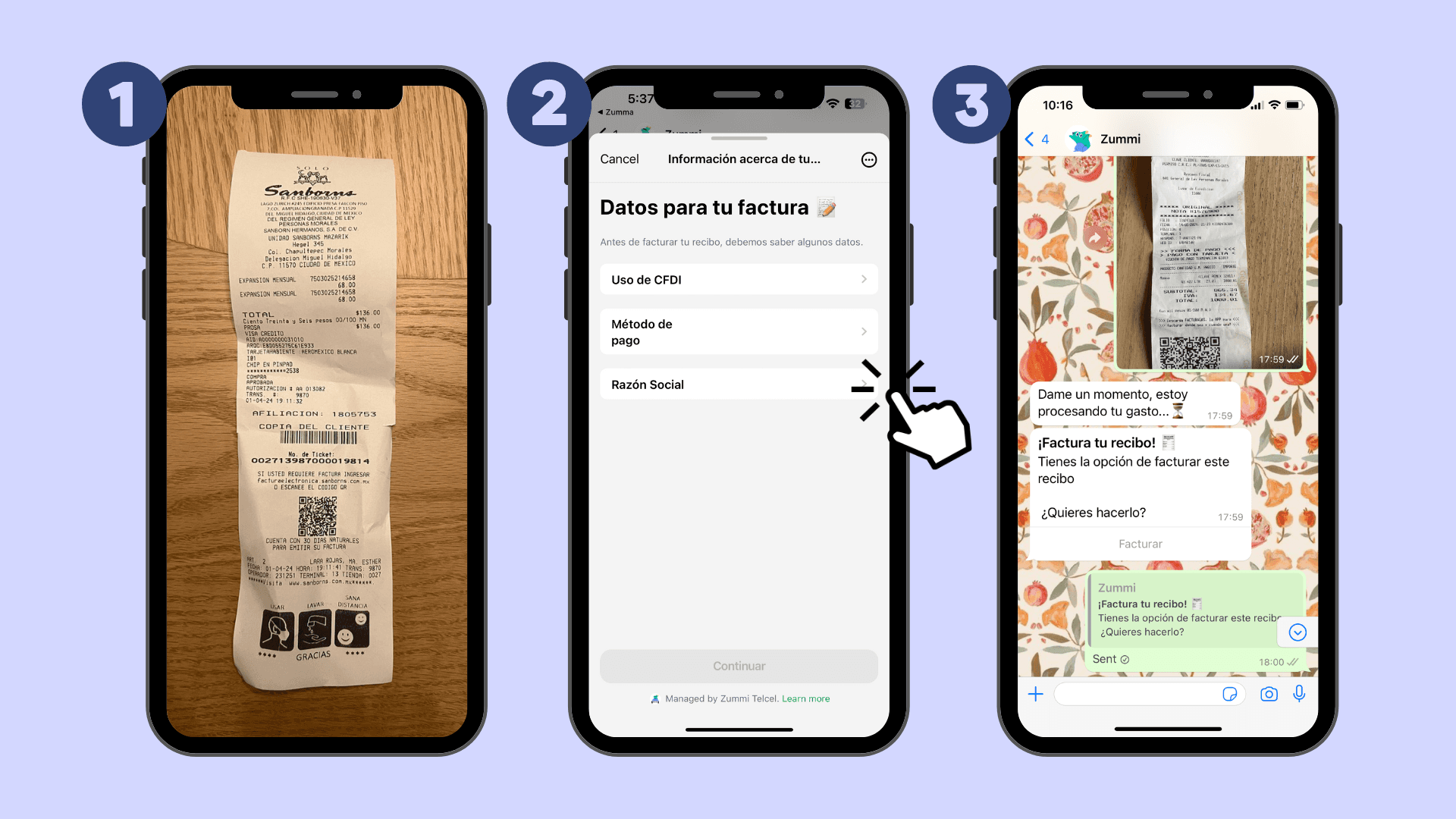
If you're not yet a Zumma user and want to start automatically invoicing your expenses via WhatsApp, request a demo of our service here.

ZUMMA PARA NEGOCIOS
Automate invoices on WhatsApp with Zumma.
Centralize your collections and save hours of operational work in the conversation your customers already use.
Start for free →


© 2026 Zumma. All rights reserved.
*Tuzumma Asesor en Inversiones Independiente, S.A.P.I. de C.V. ("Zumma") is an independent investment advisor registered with the National Banking and Securities Commission ("CNBV") of the United Mexican States under registration number 30184-001-(16375)-08/18/2023.
The Commission exclusively supervises the provision of securities portfolio management services when investment decisions are made on behalf of and for the account of third parties, as well as services consisting of providing investment advice on securities, analysis, and the issuance of individualized investment recommendations. Therefore, it has no authority to supervise or regulate any other service provided by Investment Advisors.
Registration in the Registry of Investment Advisors maintained by the Commission under the Securities Market Law does not imply that Investment Advisors adhere to the provisions applicable to the services provided, nor the accuracy or truthfulness of the information provided.
Privacy NoticeTerms and Conditions