
How to invoice an H&M expense?
Here's the step-by-step guide to invoice H&M expenses:
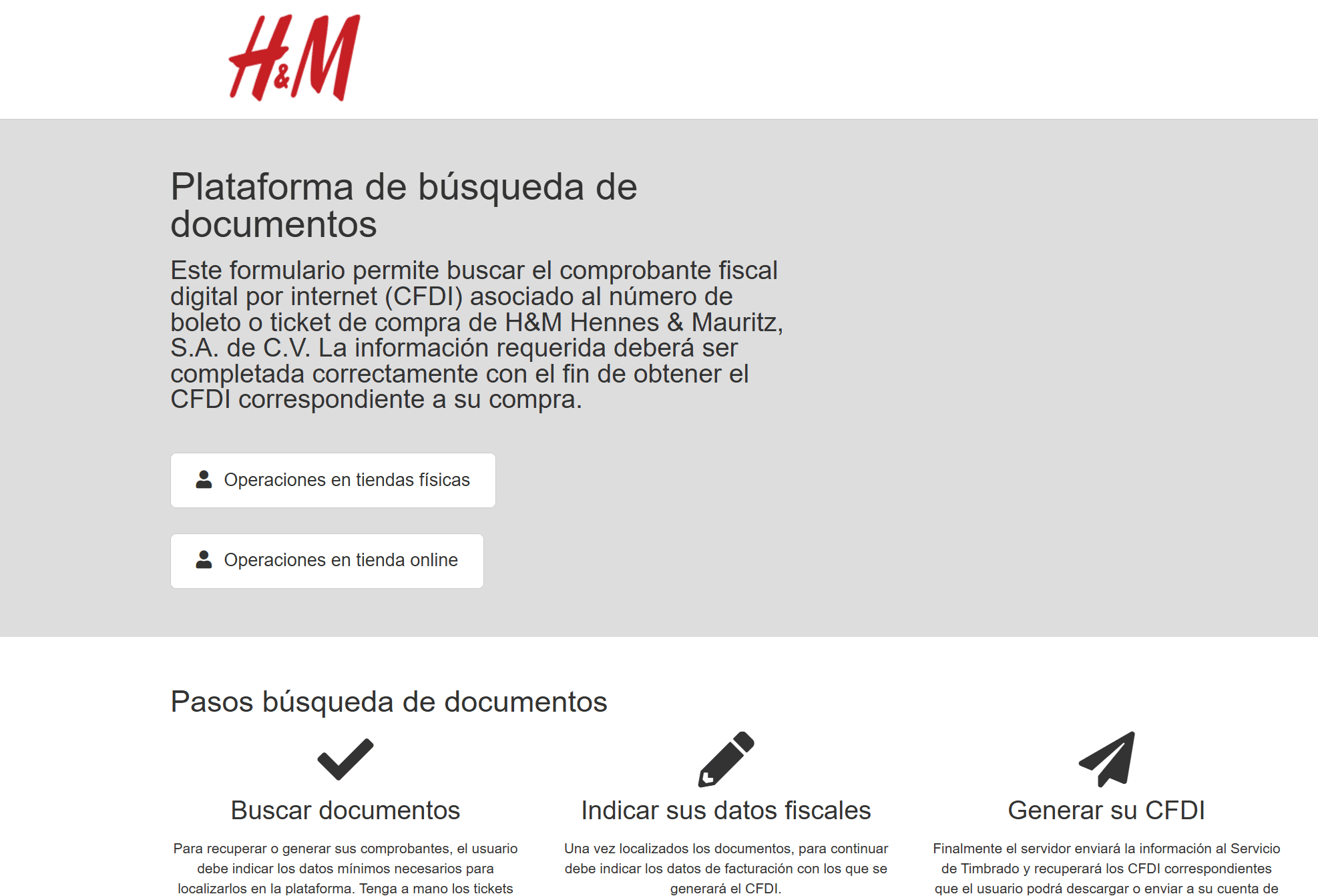
Step 1: Go to the H&M invoicing portal.
Step 2: Click the "Operaciones en tiendas físicas" (In-store purchases) button if your purchase was made in a physical store, or "Operaciones en tienda online" (Online store purchases) if you bought online.
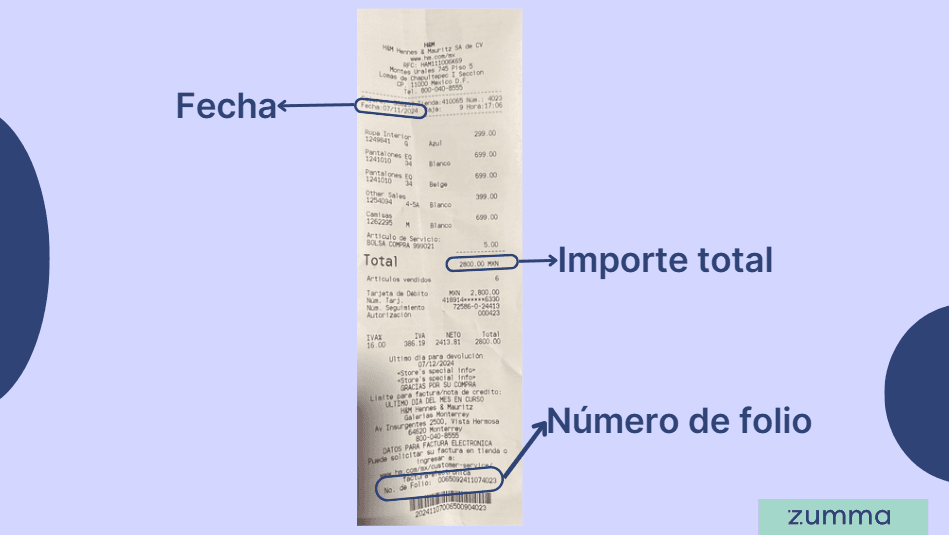
Step 3: Add the folio number, total amount, and date shown on the ticket.
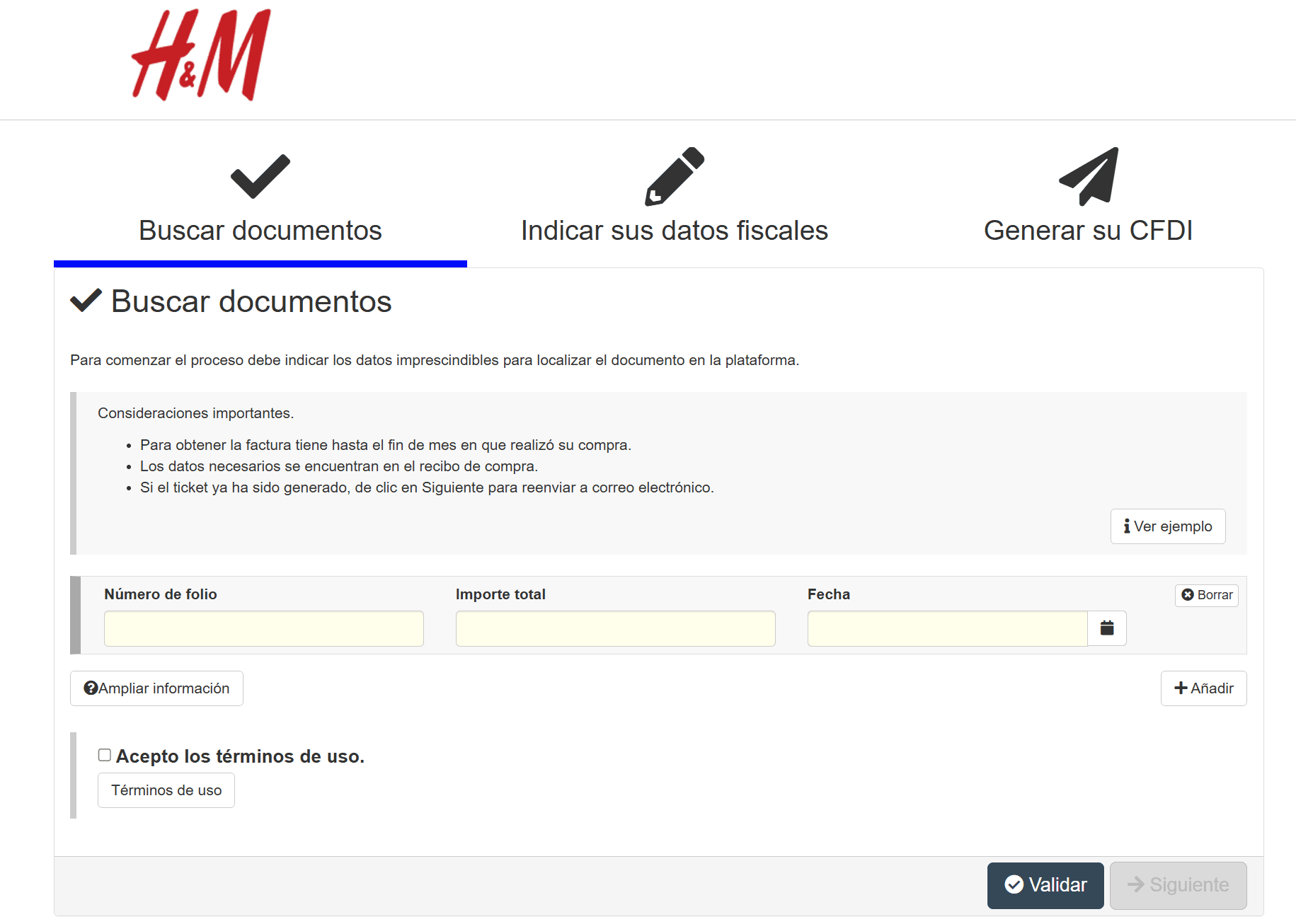
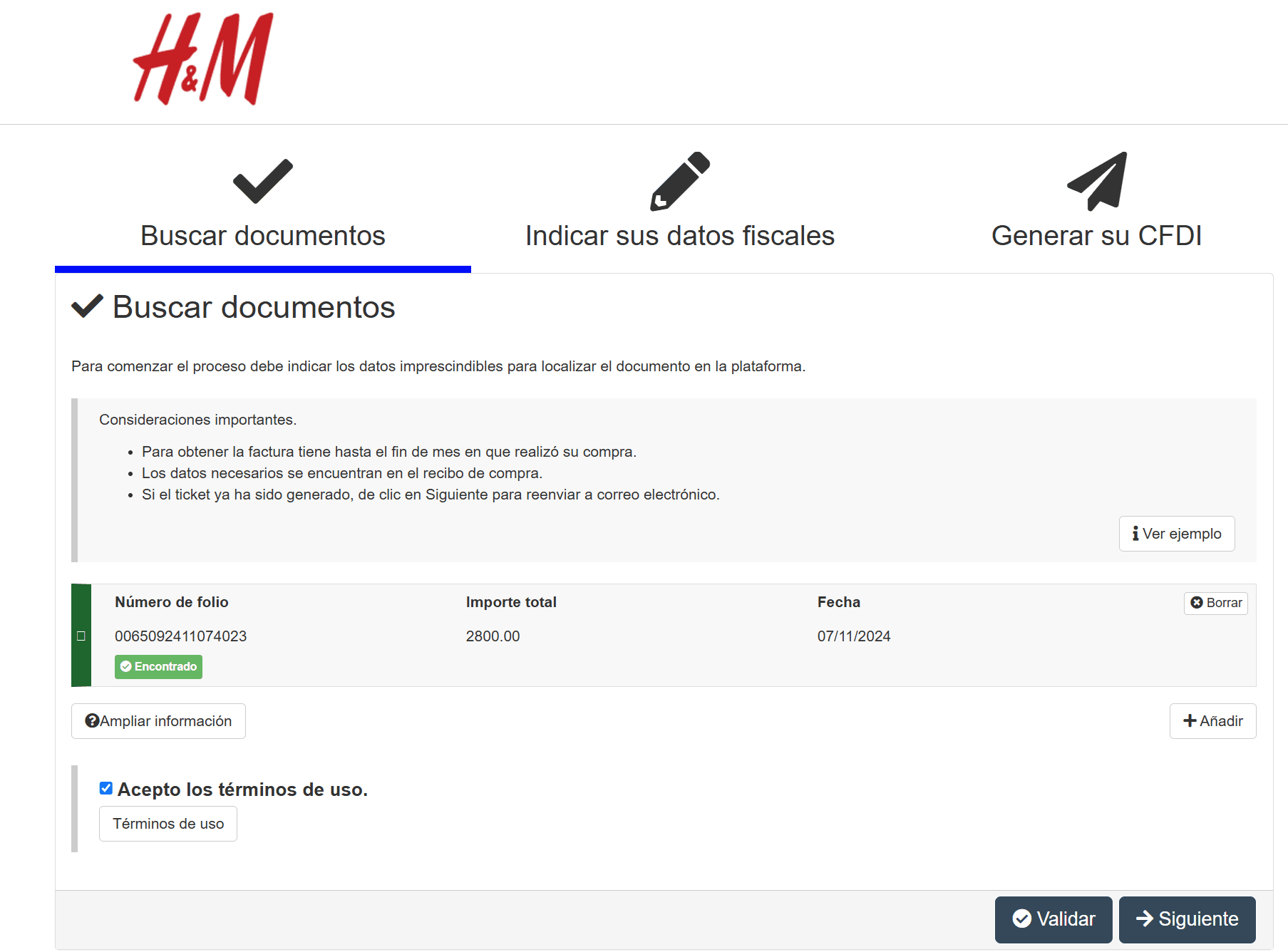
Step 4: Accept the terms of use and click the "Validar" (Validate) button.
If you have more than one ticket, you can add them by clicking the "Añadir" (Add) button before clicking the "Validar" button.
Step 5: Check that the ticket was found and click the "Siguiente" (Next) button at the bottom right.
Step 6: Enter your tax information: country, RFC, name, zip code, tax regime, CFDI use, and email address. Click the "Siguiente" (Next) button at the bottom right.
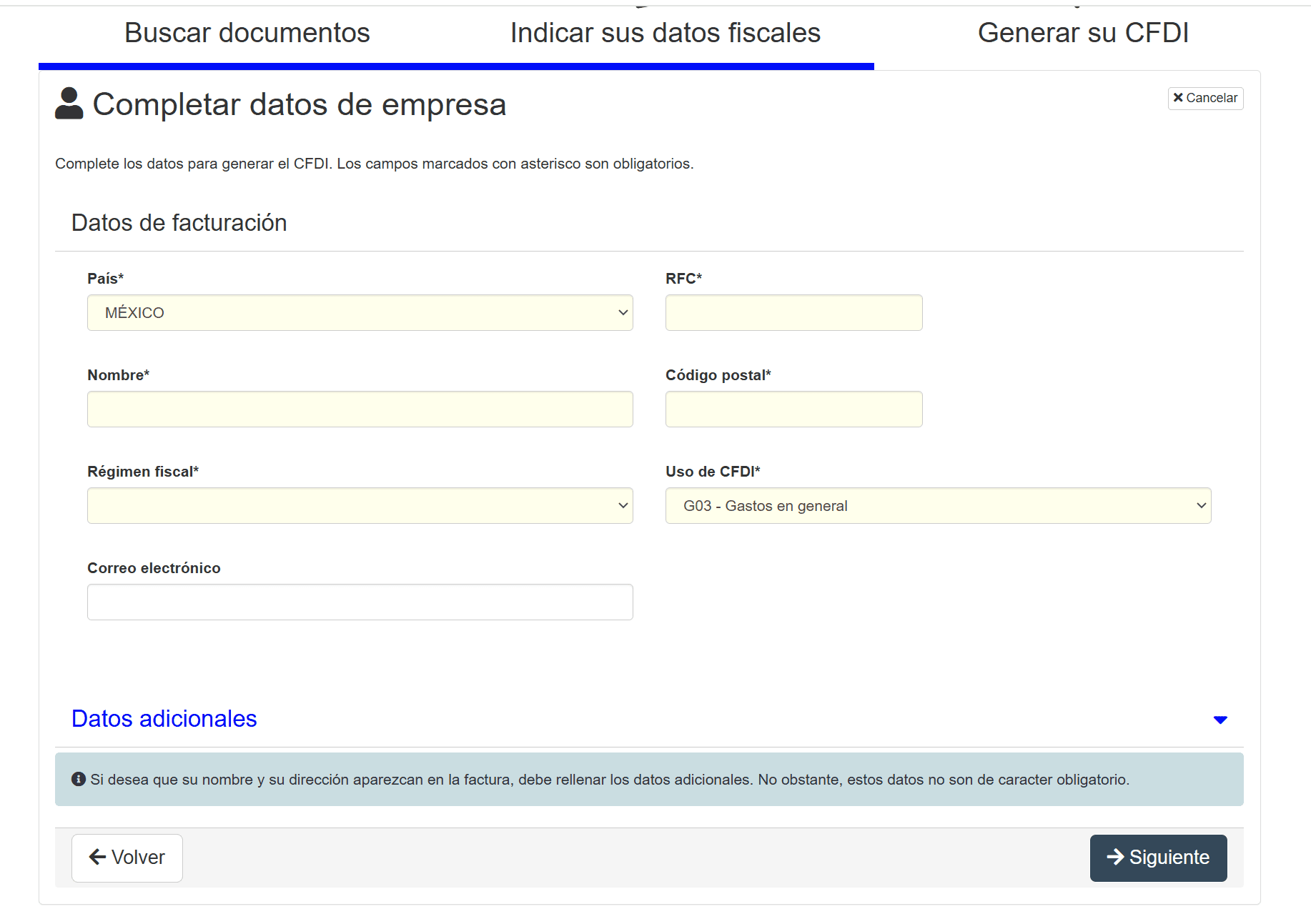
Step 7: Verify your information is correct and click "Siguiente" (Next).
Step 8: Download your invoice in PDF and XML by clicking the "Descargar fuente" (Download source) and "Descargar PDF" (Download PDF) buttons. You can also check your email for the message from H&M with your invoice.
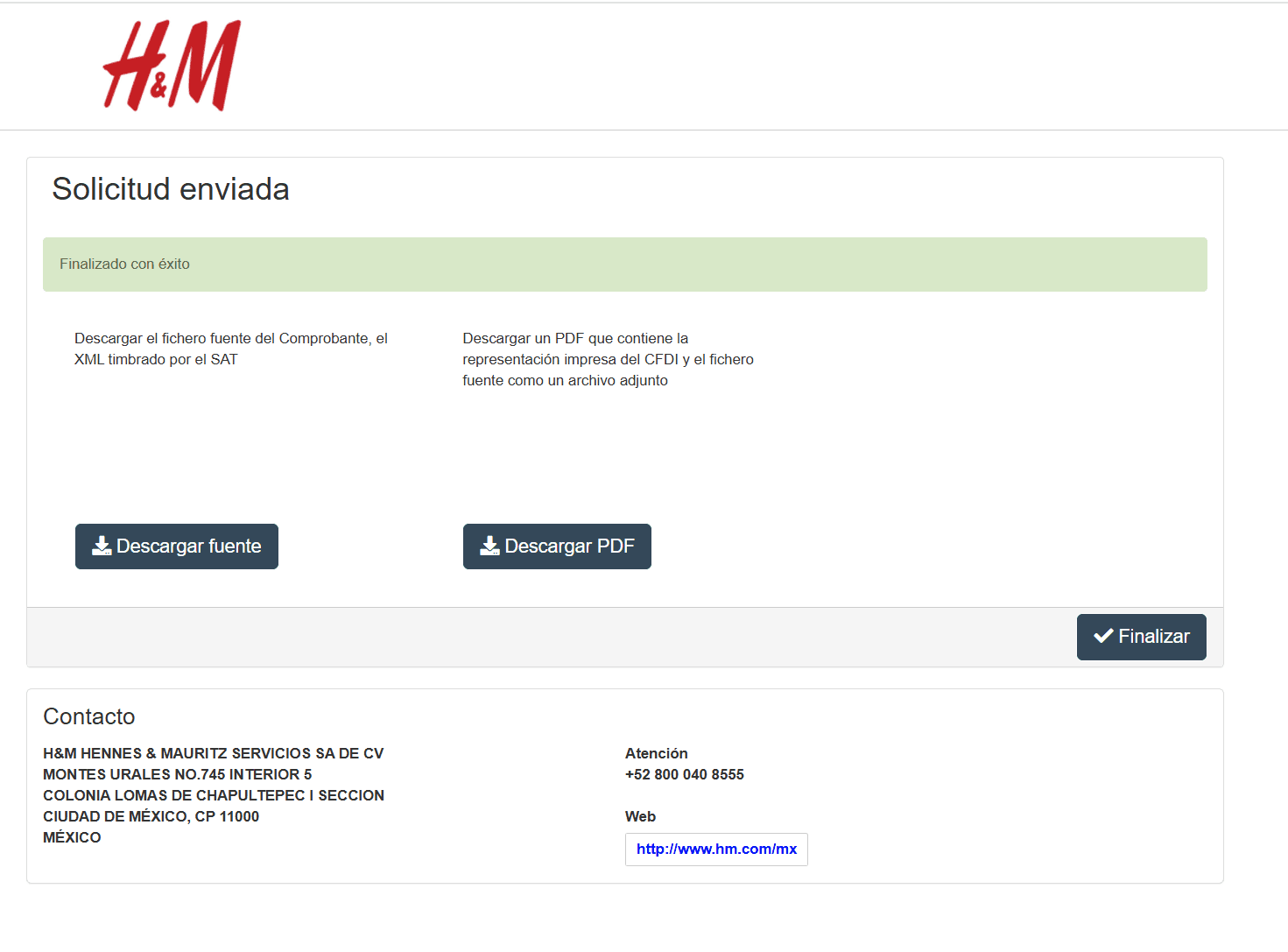
And that's it! This is how you can get your invoice through the H&M invoicing portal.
Now, if you want to save yourself all these steps, there's a better option: invoicing via WhatsApp with Zumma.
To invoice with Zumma, just follow these steps:
Step 1: Send a photo of your ticket via WhatsApp.
Step 2: Choose the CFDI use and the payment method that should appear on your invoice
Step 3: Wait to receive your invoice via WhatsApp, email, and through the Zumma.ai portal.
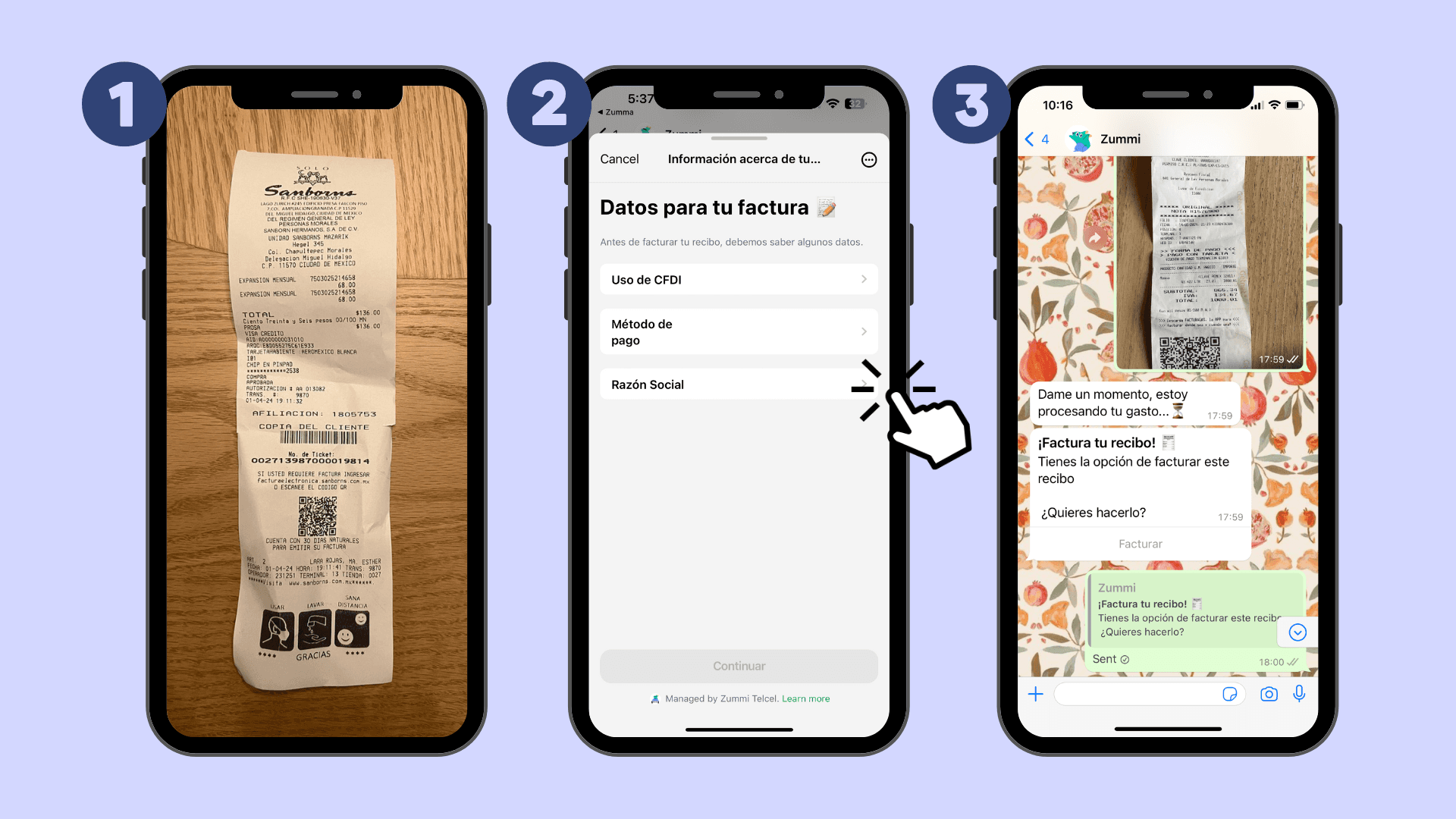
If you're not yet a Zumma user and want to start automatically invoicing your expenses via WhatsApp, request a demo here.
Start invoicing your expenses from WhatsApp
To invoice receipts from other stores, see the guide how to invoice receipts in Mexico: data, portals and deadlines.
More guides to invoice pharmacies, office supplies and department stores
Find more guides on invoicing company expenses in the Zumma blog.
ZUMMA FOR BUSINESS
Automate invoices on WhatsApp with Zumma.
Get your team's expense invoices from WhatsApp, without chasing receipts.
Start for free →